> For the complete documentation index, see [llms.txt](https://docs.cspr.click/llms.txt). Markdown versions of documentation pages are available by appending `.md` to page URLs; this page is available as [Markdown](https://docs.cspr.click/cspr.click-v1.11/cspr.click-sdk/react/customizing-the-top-bar/network-selector.md).
# Network selector
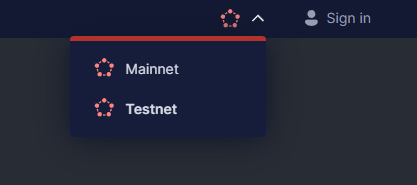
Network selector widget
If your application can switch between Mainnet and Testnet networks you may want to add the network selector widget to the CSPR.click navigation bar.
## Network selector set up
Define an array with the list of networks your application supports:
```tsx
export const NETWORKS = ['Mainnet', 'Testnet'];
```
Create a state value to store the current network. For example, with `useState()` hook, but you can use any other method.
```tsx
const [network, setNetwork] = useState(NETWORKS[1]);
```
Define a `networkSettings` object with the list of networks, the current network, and a callback method to handle network selection by the user. Add this object to the `topBarSettings` prop in the `` component:
```typescript
const networkSettings = {
networks: NETWORKS,
currentNetwork: network,
onNetworkSwitch: (n: string) => { setNetwork(n); },
}
```
```tsx
```
### Customize the network icons
You can also specify your custom icons for each of the networks:
```tsx
import mainnetIcon from './assets/ico-mainnet.svg'
import testnetIcon from './assets/ico-testnet.svg'
const NETWORKS = [
{ title: 'Mainnet', icon: mainnetIcon },
{ title: 'Testnet', icon: testnetIcon }
];
```