> For the complete documentation index, see [llms.txt](https://docs.cspr.click/llms.txt). Markdown versions of documentation pages are available by appending `.md` to page URLs; this page is available as [Markdown](https://docs.cspr.click/cspr.click-sdk/integration/identicons.md).
# Identicons
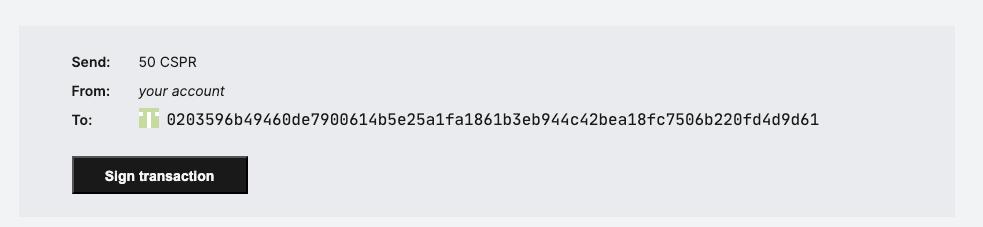
CSPR.click can generate an identicon for a public key. Identicons are useful when you want to display a compact visual hint next to an account, recipient, sender, or connected wallet address.
Use the `getAccountIdenticon()` SDK method to generate an `HTMLCanvasElement`, then render it as an image with `toDataURL()`.
{% hint style="info" %}
**Recommended display guidelines:**
* Place the identicon to the **left** of the public key.
* Render it as a **square** with **no border** and **10% rounded corners**. Never display it as a circle.
* When truncating the public key, use **5 hex chars + `...` + 5 hex chars** — for example: `02026...9555c`.
{% endhint %}
## React example
The following component receives a public key, generates its identicon, and renders it next to the public key.
```tsx
import { useMemo } from 'react';
import { useClickRef } from './ClickContext';
type IdenticonProps = {
publicKey: string;
};
export const Identicon = ({ publicKey }: IdenticonProps) => {
const { clickRef } = useClickRef();
const identicon = useMemo(() => {
if (!clickRef || !publicKey) {
return undefined;
}
return clickRef.getAccountIdenticon(publicKey.toLowerCase());
}, [clickRef, publicKey]);
return (
{publicKey}
);
};
```
Read more about the [getAccountIdenticon](/cspr.click-sdk/reference/methods.md#getaccountidenticon) method in the SDK reference.